
Estimated, Committed and Actual Costs: What Construction Job Costing Is Really Tracking


Construction job costing is built on a simple premise: every dollar spent on a project should be traceable.
Getting to that level of visibility requires understanding that not all costs are created equal. An estimate projects a cost; a purchase order or subcontract creates a commitment; an invoice records an actual cost against the job.
Each is a different stage in the lifecycle of a project cost, and each gives a project manager different information.
Knowing which is which, and when each one matters, is the framework of job costing that goes beyond basic expense tracking.
Key Takeaways
- Estimated, committed and actual costs represent three distinct stages in how project costs develop and are recorded
- Committed costs include obligations that haven’t been paid yet but are financially binding, such as approved purchase orders and subcontracts
- Actual costs reflect what has been invoiced and recorded, giving the clearest picture of what a project has spent
- Job costing that tracks all three categories gives project managers visibility into where a project stands now and where it is headed
- FOUNDATION® tracks estimated, committed and actual costs together in one connected system, from obligation through payment
The Three Stages of a Construction Project Cost
Understanding job costing starts with understanding that a project’s financial picture changes at every stage.
A cost that begins as an estimate becomes a commitment when a subcontract is signed or a purchase order is approved and then becomes an actual cost when the work is done and the invoice is processed.
To trace this out, it’s best to track how each stage tells a different part of the story:
Estimated Costs
First, estimated costs are the baseline. They represent what a contractor projected the project would cost when the bid was built.
Estimated costs are the benchmark against which everything else is measured, and they set the budget that the rest of the job cost system works to track.
Committed Costs
Committed costs are obligations that are financially binding but not yet paid, and they don’t come only from subcontracts. A signed subcontract, an approved purchase order for materials, or even an equipment rental agreement can create a committed cost the moment it’s finalized.
Take a $50,000 estimate for drywall work. Once a subcontractor signs on for that scope, the full $50,000 becomes a committed cost, even though no invoice has arrived yet; the obligation exists the moment the contract is signed, whether money has changed hands.
The same logic applies when a purchase order is approved for materials: those materials become a committed cost when the order is approved, not when the invoice eventually arrives.
Actual Costs
Actual costs are costs that have been invoiced, entered into the accounting system and recorded against the job.
They reflect what has been spent, verified and posted. Actual costs are the most concrete view of a project’s spending, but they are also the most historical factor: by the time an actual cost is recorded, the spending decision has already been made.
Why the Gap Between Committed and Actual Matters
The difference between committed costs and actual costs is where job costing gets especially interesting, and where contractors who don’t track both run into trouble.
Consider a subcontractor who has been approved for $80,000 worth of work. That $80,000 is committed the moment the contract is signed.
But if only $30,000 in invoices has been processed so far, a report tracking only actual costs shows $30,000 spent, making it look like $50,000 is still available to spend elsewhere.
In reality, that $50,000 is already spoken for, it just hasn’t been invoiced yet. A job cost report that reflects only actual costs misses that distinction entirely, which significantly distorts the project’s true financial position.
For a project manager reviewing budget performance, that gap matters and should be properly mapped out. A project that looks like it has $50,000 in remaining budget may have no remaining budget at all once committed costs are factored in, and decisions made without that context (about change orders, staffing, additional purchases) carry more risk than they appear to.
Tracking committed costs alongside actual costs closes that gap and gives a complete picture of where the project’s money is going, not just where it has already gone.
How Estimated Costs Compare With Committed and Actual Costs

Once a project is underway, the estimate doesn’t just fade into the background. It becomes the reference point for each comparison.
Estimated vs. actual, estimated vs. committed, percentage complete vs. percentage of budget consumed — all these comparisons require the original estimate to be connected to the live cost data coming in from the field and from accounts payable.
That connection is what makes job costing useful, not just historical. When estimated costs are tied to the same cost codes that labor, materials and subcontractors are being tracked against, a project manager can see in real-time which phases are on budget and which are running over.
A phase that is 60% through its budgeted hours but has consumed 80% of its labor budget is flagging a problem.
A subcontract approaching its committed value before the work scope is complete signals a change-order conversation that needs to happen.
None of those signals are visible without an estimate that lives alongside the actual and committed data in the same system.
How Estimated, Committed and Actual Costs Tell One Story
Individually, each cost type answers a different question, and the estimate answers what a job was supposed to cost. Committed costs answer what’s already been obligated, whether or not it’s been paid.
Actual costs answer what’s been spent and verified so far. None of those questions, on its own, answers the one that matters to a project manager: where does this project stand right now?
That’s only answered by reading all three together. Comparing actual costs to the estimate shows whether spending is on pace, comparing committed costs to the estimate shows whether the job is still financially on track (even before money changes hands) and comparing actual costs to committed costs shows how much of what’s already obligated still hasn’t hit the books (the gap that determines how much real budget is actually left).
A project manager who only tracks actual costs is always looking at a partial, backward-facing picture.
Layering in committed costs turns that same data into something forward-looking: not just what has happened, but what’s already locked in to happen next.
That’s what separates job costing from simple expense tracking, and it’s why all three categories have to live in the same system to be useful.
Payroll as a Job Costing Input
Labor is typically the largest cost category on a construction project, and it feeds into job costing in a way that materials and subcontracts don’t.
Labor costs don’t come with a purchase order or a signed contract. Instead, they are accumulated daily, driven by how many hours are worked, against which cost codes and at what rates.
That makes payroll data one of the most important inputs in a job costing system, and it behaves differently from the other cost types.
Labor doesn’t have a committed stage the way a purchase order or subcontract does; there’s no signed obligation sitting between the estimate and the actual cost.
Instead, labor hours become an actual cost almost as soon as they’re worked, coded to the job and cost code as timecards are submitted and compared directly against the estimated labor for that phase.
When payroll is processed, the burden costs tied to that labor, like taxes, insurance or benefits, get distributed across those same cost codes, so the actual cost of labor on each phase reflects the full cost of employing that crew, not just their wages.
Without that detail, labor shows up as a lump sum that doesn’t connect to the estimate or to the phase-level budget. Project managers can see that labor was spent, but they can’t see where.
Tracking All Three in FOUNDATION
FOUNDATION construction accounting software is built to track estimated, committed and actual costs in a connected, project-level view.
Costs are organized by job, phase and cost code from the moment a project is set up. As purchase orders and subcontracts are entered, those commitments attach to the job. As invoices are processed, actuals update against the same cost structure. Labor hours from payroll flow through to job costing by cost code.
That connection carries through to the accounts payable stage too, the point where a committed cost becomes an actual one.
When an invoice is processed and paid in FOUNDATION, that transaction moves directly to the project’s actual cost record, without manual reconciliation between separate systems.
The result? A job cost system where the estimate, the commitment and the actual are always visible together and where a project manager can see a complete picture of where the project stands financially at any point during the work, not just at closeout.
For contractors who want to understand not just what they’ve spent but what they’ve obligated and what they bid, that complete view is what job costing is supposed to provide.
Share Article
Keep on current news in the construction industry. Subscribe to free eNews!
Related Articles

How Colvico’s AP Manager Handles 200+ Invoices a Week on Her Own
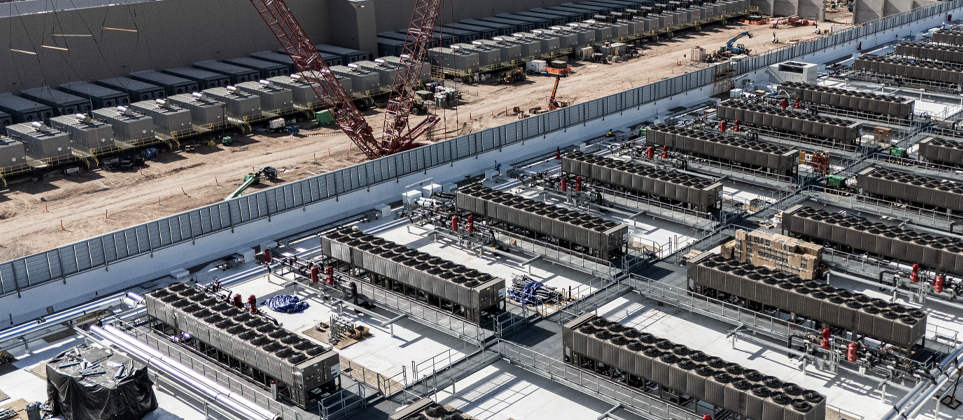
Behind the Construction Data Center Boom: Rising Labor Costs
Our Top 3 YouTube Videos
Learn about our software more in depth with product overviews, demos, and much more!
Our ACA reporting & e-filing services include official 1094-C and 1095-C IRS reporting, optional e-filing (no applying for a TCC code required), mailing to your employees and experienced support to help you.

There are plenty of reasons to make FOUNDATION your choice for job cost accounting and construction management software — just ask our clients!
From job cost accounting software, to construction-specific payroll. Get an overview on your next all-in-one back-office solution.